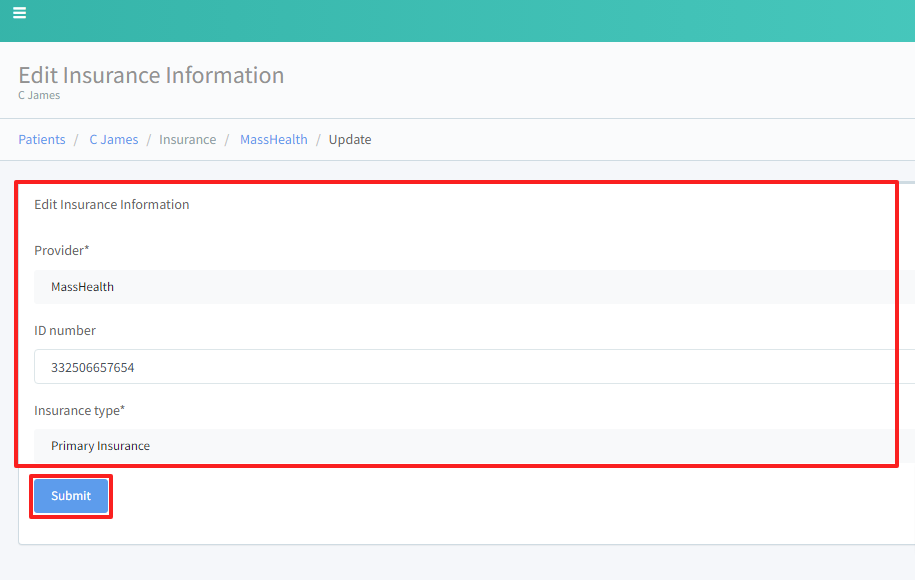
Updating Adding Patient Insurance Information
REQUIREMENT & PERMISSIONS
User should have Can add new patients permission.
Watch Video
Documentation
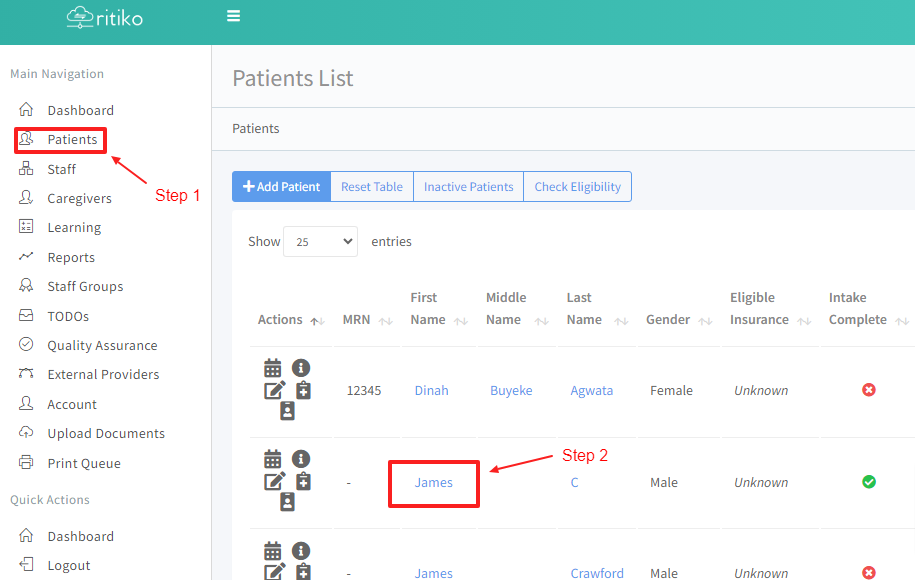
Under your main navigation sidebar, click on PATIENTS.
Click on patient's DETAIL ICON or the patient's NAME.
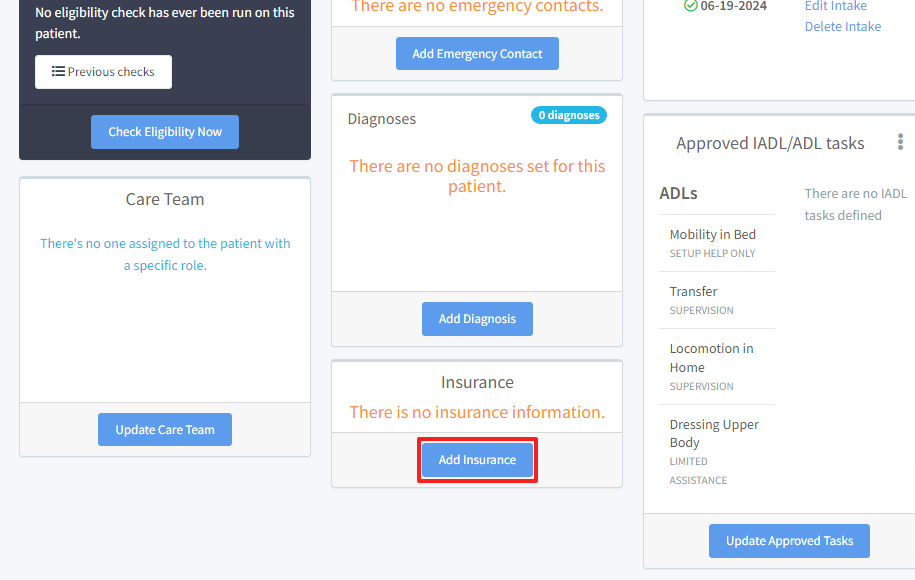
- Scroll down and click on ADD INSURANCE.
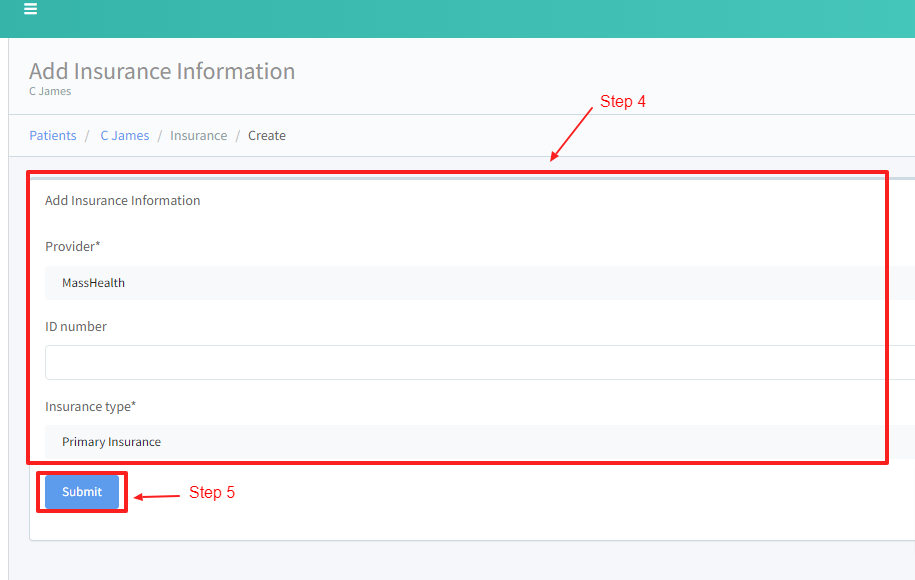
Input applicable information.
Click SUBMIT.
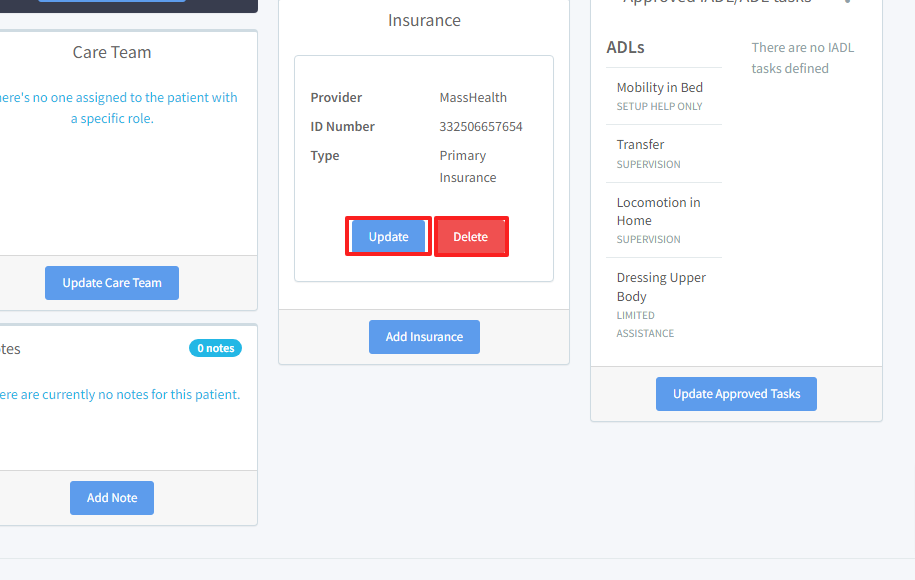
- To update or delete patient's insurance provider click on UPDATE or DELETE.
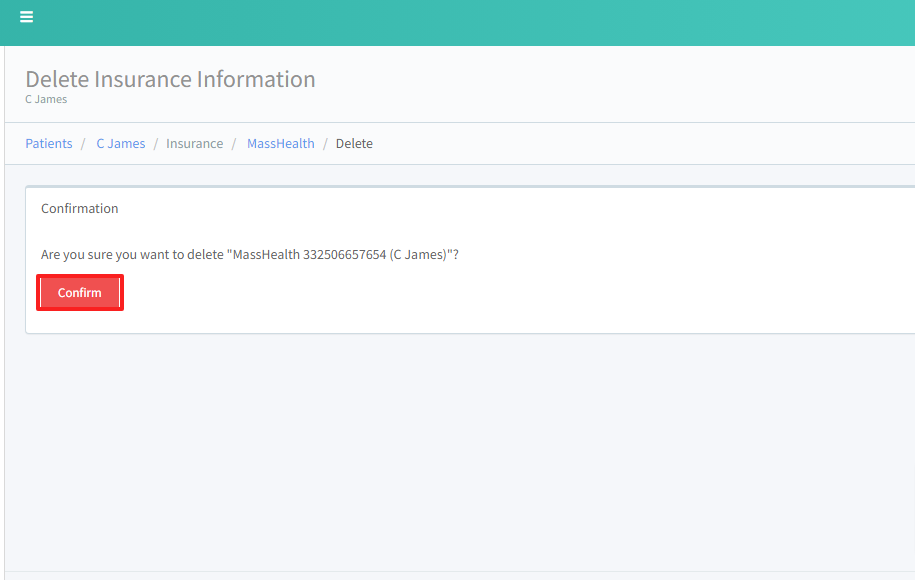
- If deleting, click CONFIRM to delete.
- If updating, input updated insurance information and click SUBMIT to save update.