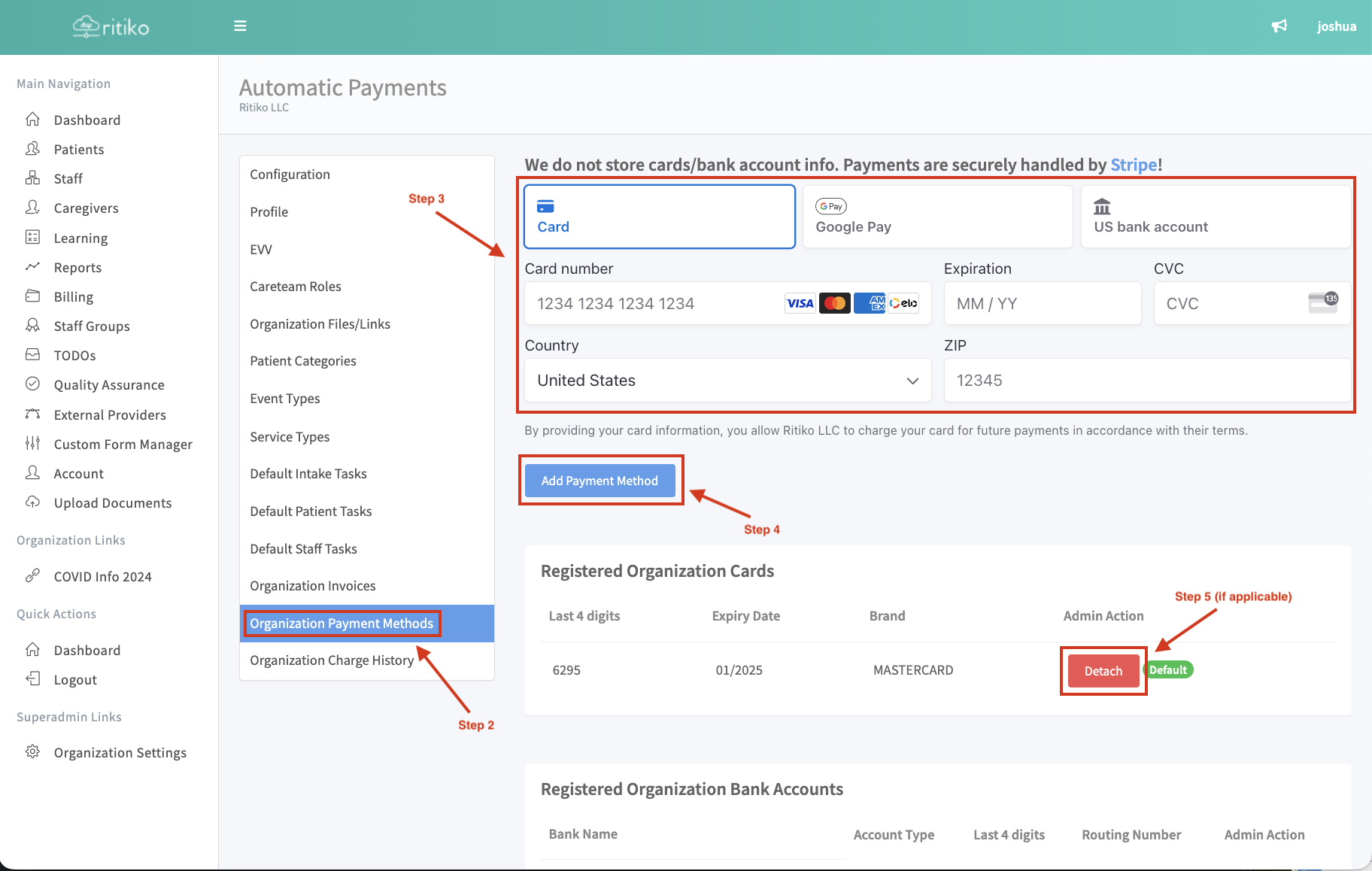
Updating Adding Payment Method
REQUIREMENT & PERMISSIONS
User should be superadmin to manage setting.
Watch Video
Documentation
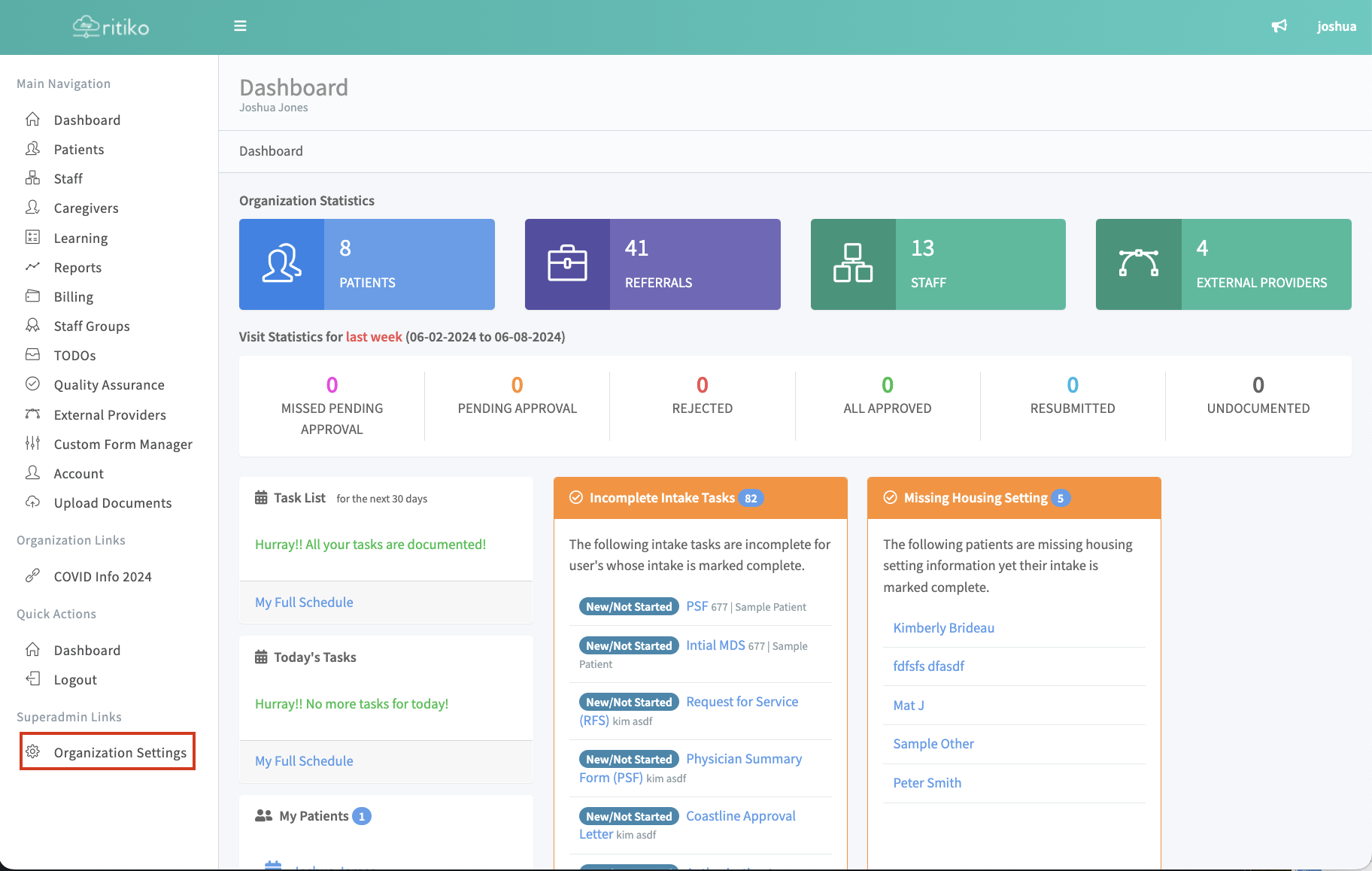
- In your Navigation Menu click on ORGANIZATION SETTINGS
Click on ORGANIZATION PAYMENT METHODS
Input payment methods HERE
Click ADD PAYMENT METHOD
Click DETACH to remove a payment method. (You cannot detach the last payment method. You must have one on file.)