Adding/Updating an Organization File/Link
REQUIREMENT & PERMISSIONS
User should be superadmin to manage setting.
Documentation
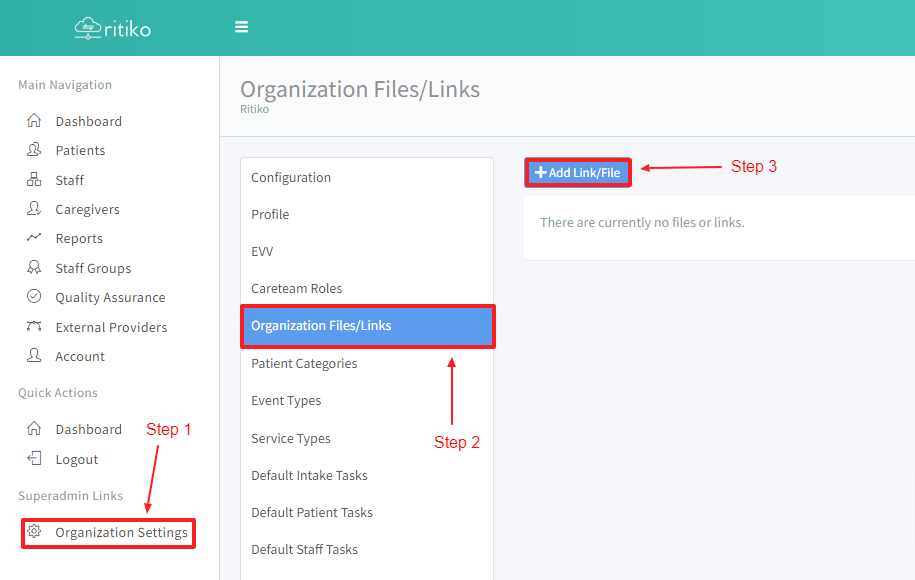
Under your main navigation sidebar, click on ORGANIZATION SETTINGS.
Click on ORGANIZATION FILES/LINKS.
Click on +ADD LINK/FILE.
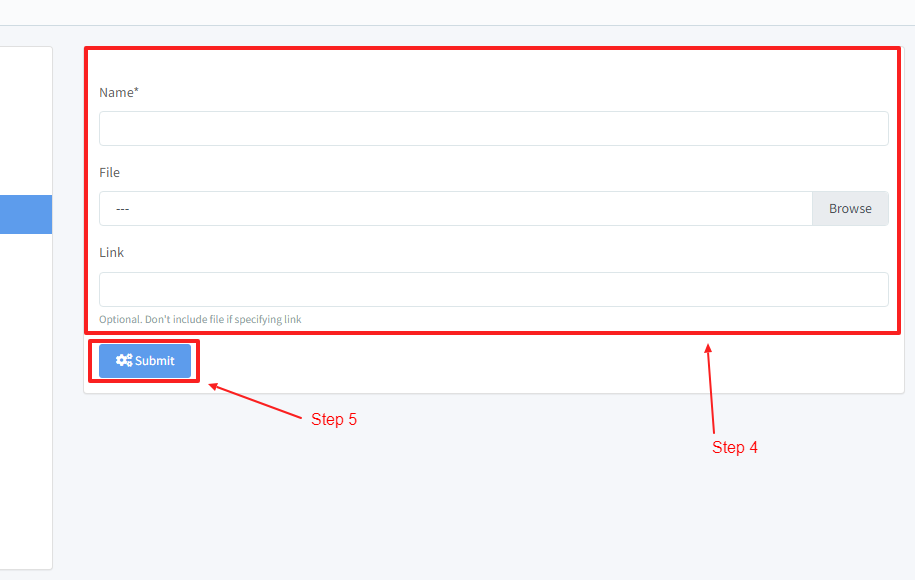
Add the NAME,FILE and LINK.
Click SUBMIT.
- To update a file or link click on one of the existing files or links in this page.
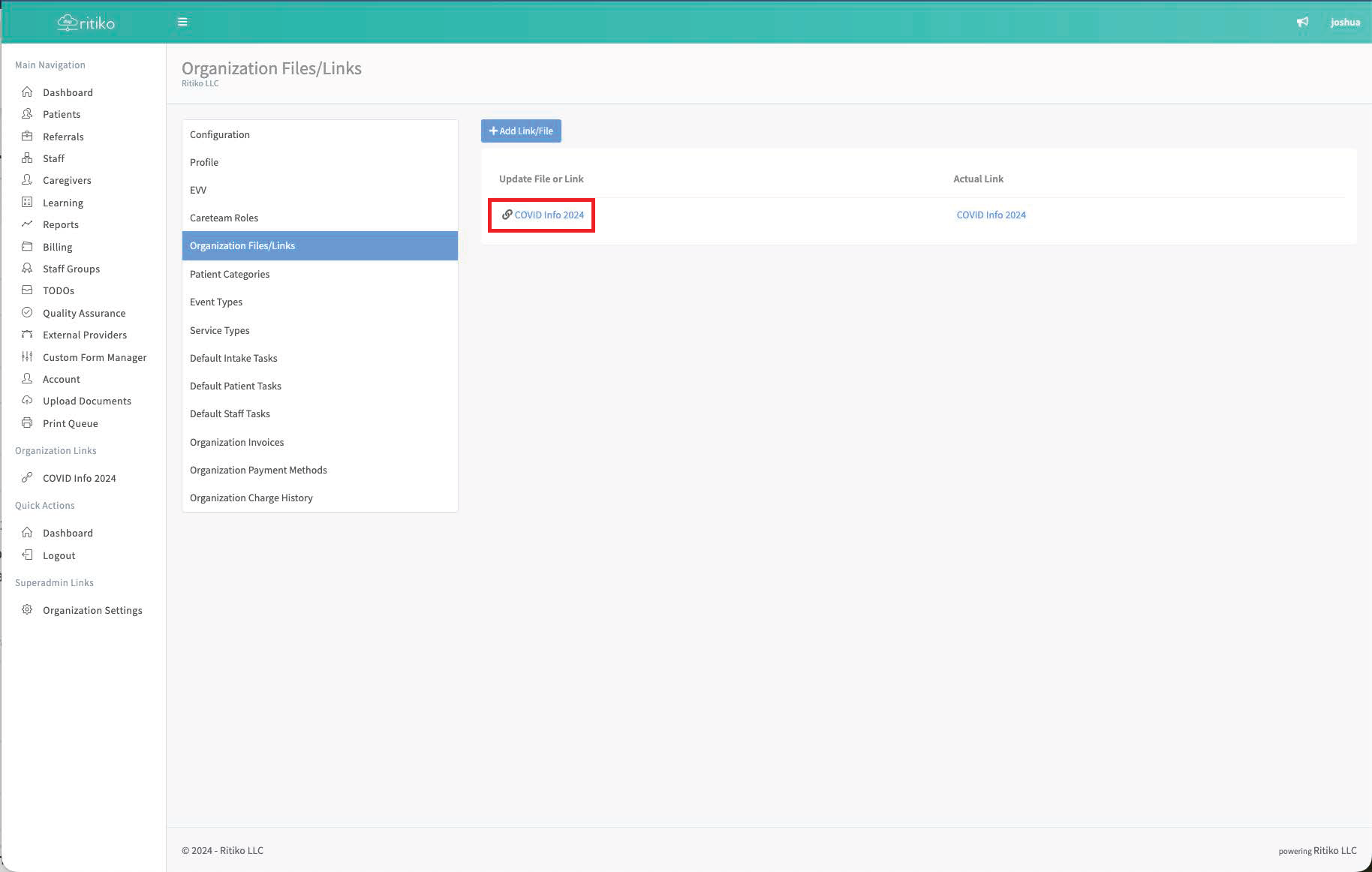
- After clicking on it, update as necessary here.
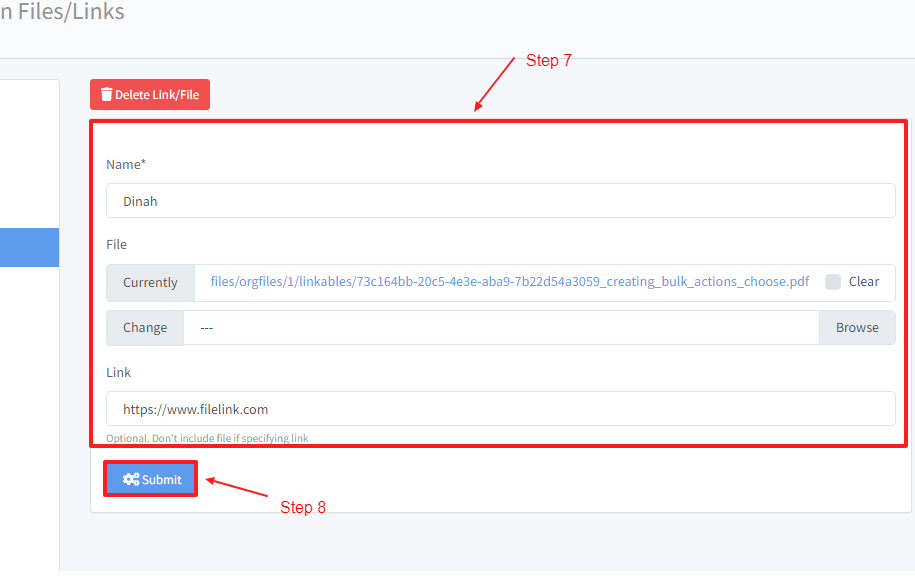
Click SUBMIT.
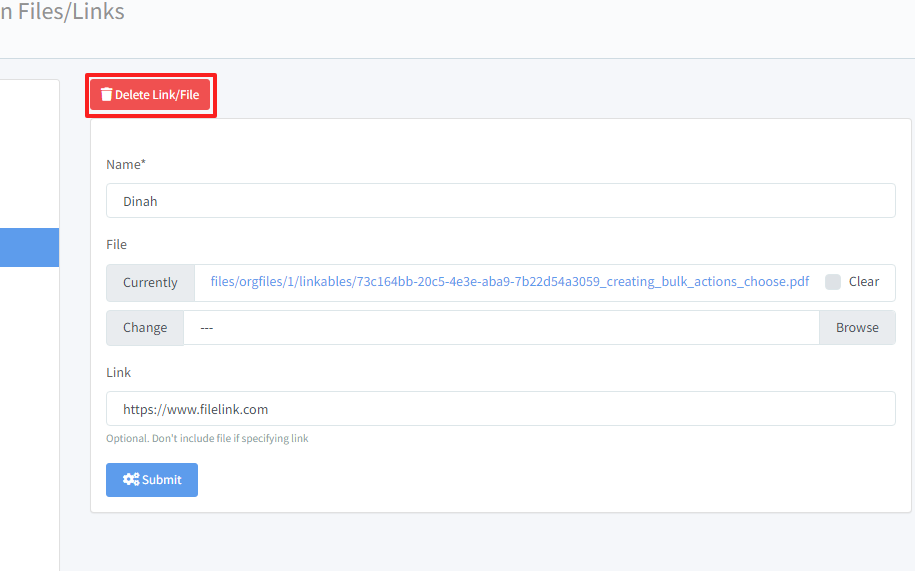
Click DELETE LINK/FILE to delete the item.